 At present, I have several open tabs in my internet browser. I don’t know exactly how many because I tried to count and then when I scrolled left the tabs started to move very quickly, and I got confused and lost count. As a consequence of having so many tabs open, I never shut down my computer. I am persuaded that one day I’ll actually work through all of them. “Why don’t you just bookmark them?” I hear you ask? Uh, do you even have a computer? All that ever happens when you bookmark something is that you forget about it immediately.
Because my computer is always on, it freezes and needs to be forcibly shut down a lot. (In fact, it happened while I was writing this.) Also, while I’m watching Netflix, my computer whirs and since it’s not that old I feel like that means it needs a break. BUT I CAN’T GIVE IT A BREAK.
So, here’s a list of all my open tabs, from oldest to newest, each annotated with tidbits like my reason for being interested in it or why I haven’t gotten around to it yet. Enjoy!
- “Stories of Extinction” by Tim Flannery, The Monthly. This is a March review of three books from an Australian magazine. I guess I’m surprised that it’s only from March and not from, like, September 2013. I know exactly why I haven’t read this. When is a good time to read about extinction? Never. But I feel like I should. Urgh. It’s only 2800 words though – I’mma read it now.
- New-York Historical Society | Bill Cunningham: Facades. Oh, a reminder to myself to go to this exhibition. I’m pretty bad at going to galleries and museums, and this will cost $18. I love Bill Cunningham, but I love his present-day photography more than I think I’ll love the historical shots. I think I’ll skip it.
- “The Women at the Top” by Marcia Angell, New York Review of Books. A review considering Alison Wolf’s The XX Factor, about women in upper-level jobs. I’m already seeing a pattern here in these ol’: long-form articles on worthy subjects linger in my tab graveyard while I flit about GOOP and, like, drugstore.com. This is actually a fascinating piece, and includes the line “nothing melts the hearts of fans more than a picture of, say, Seraphina Affleck in her daddy’s arms.”
- Five Dials #31. I am a chronic underreader of this fantastic Hamish Hamilton promotional PDF magazine. Even this issue, which is very interesting to me personally because it features work by Lydia Davis, Zadie Smith, and Leanne Shapton, has languished in my browser for a month or so. And my computer has frozen and been restarted a couple of times so the PDF has opened on the first page and I can’t remember where I was up to. At 65 pages, Five Dials is almost too long for something that’s free. They’re giving me too much value! I can’t concentrate. I don’t have a printer, either, so I can’t print it out. What. Maybe I should send them some money and then I’d read it? Nah. I remember the poetry, by Rachael Allen, was really good, though.
- Search results for “michaela mcguire”, Readings bookshop. My friend Michaela was in NYC recently from Australia, touring her Women of Letters event series. She has a new book about gambling coming out and I was checking whether it was available yet. It’s not out until June 2.
- New Work – Digital and New Media Grant, Australia Council. The Australia Council is a government body that awards grants to Australian artists in certain categories. I think this is a newish grant, but now that I look at it I’m not eligible and I don’t have an idea anyway.
- The Life and Death of Mountains, Brain Pickings. There is no website that I feel more guilty about not reading than Brain Pickings. It’s so worthy and seemingly accessible, and Maria Popova puts it together while she’s on the treadmill or something, doesn’t she? Anyway, I never seemed to be able to hit the stop button on my Usher playlist to watch this video. The narrator has a really sweet British accent, the kind that would convince you to let the speaker touch, like, one boob in the library. NB. When I finished watching this, I clicked on another video about whales; and so the cycle perpetuates itself.
- “Shocks of Recognition” by Joyce Carol Oates, New York Review of Books. A review of Lorrie Moore’s Bark. A few months ago I was working on a review of Bark. Then I saw this and didn’t want to read it yet. Who is excited to read a review by Joyce Carol Oates of a book they’ve also reviewed? Nobody.
- “The Engineering of the Chain Restaurant Menu” by Megan Garber, The Atlantic. Yeah boy. Menus are my favorite thing in the world. This is exactly the kind of long-form I like to read. It’s about food and has a super-interesting, corporations-focused angle, arguing that menus are essentially a marketing tool. Also contains the parenthetical sentences “So many choices! So many calories!” Yet I haven’t read it. No long-form for me. Who likes long-form? You? You guys are not real.
- “How Sweet It Is To Be Loved By You: The Beyhive” by Rachel Kaadzi Ghansah, The Record. From March 17. One of the later Beyoncé thinkpieces. Even though it looked really good I saved it for later; even this Bey Bébé gets sick of the nonstop coveragé.
- Embryolisse Lait-Crème Concentrate, 75ml, Net-A-Porter. I want a non-SPF moisturizer for night time, and this is one of those French products that beauty devotees enthuse about. But the name has “embryo” in it? I just don’t know.
- “Sacred and Profane” by Malcolm Gladwell, The New Yorker. Triangulating “Malcolm Gladwell”, “religion”, and my hometown of Melbourne, Australia, which is mentioned in the fourth line, I figured I wanted to read this. But I don’t anymore. Close tab! That feels good.
- United Bamboo Solid Oxford Shirt – Orange, United Bamboo. My wardrobe contains mostly shirts, so I don’t think I need another, but I really love the peachy color of this one. I also love the tiny green worm logo, and the shirt is on sale.
- Applying for an E3 Visa and Looking For A Job, Embassy of the United States, Canberra, Australia. “Life administration, say no more,” is what you say to me at this point.
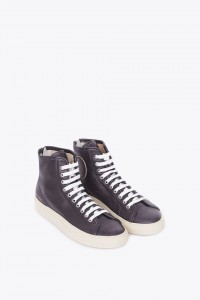 Woman by Common Projects Tournament Leather High high-tops, Totokaelo. I have two pairs of modestly-priced black leather high-tops already, but these shoes are really beautiful, made of sleek, seal-like leather I covet. Never will buy, but never 4get, hence stuck in the tab queue.
- Brooklyn Circus “Delta News” Female Varsity jacket, Brooklyn Circus. In further news about garments I cannot afford, I discovered this gorgeous leather concoction way too late in the cold season to justify the $440 expense and now I fear I’ll forget about it if I just add it to my bookmarks. It’s navy and red, and badass.
- The Boss by Victoria Chang, The McSweeney’s Store. Usually there wouldn’t be that many potential book purchases lined up in my tabs, because I have a separate list for books I want to read. But this is a poetry collection and I thought I might need some extra prodding. I bought it after writing this.
- “Go Poets” by Dan Chiasson, New York Review of Books. A review of collections by Michael Ruby, Nick Laird and Mary Jo Salter. I think it was National Poetry Month because I usually I don’t read much poetry. I’d been meaning to read Laird’s collection since it was published so I kept this review in tab limbo.
- “On Style” by Susan Sontag. Some of my Rookie colleagues were having a Facebook discussion about reading Sontag. I clicked on this link and then did not feel like reevaluating my whole modus operandi as a writer or even evaluating my work at all. Nor do I now. Will I ever? The unexamined life is worth struggling through – that’s my motto.
- “The Wolf Hunters of Wall Street” by Michael Lewis, New York Times. Argh, I remember this: a long, incredibly involving piece about a guy from the Bank of Toronto who noticed some strange quirks in the share market and went on to build a new exchange to overcome them. I got halfway then forgot about it, and I don’t have an NYT subscription, so I have to wait a couple of weeks to finish it because I’ve read my 10 free articles this month.
- Physician’s Formula Organic Wear Bronzer, Natural Glow, drugstore.com. I think the makeup artist Lisa Eldridge recommended this in a tutorial she did about contouring your face using bronzer, but I don’t know how to contour yet.
 Robert Clergerie Silver Glitter Siri Ankle Boots, Avenue 32. Robert Clergerie is having a bang-on shoe season. I wanna invest, and these chain-mailish boots looked like a good option for a while but I can’t get a sense of whether they might just look gross in real life.
- hazelcills.com. Hazel always posts great songs on her tumblr. I should ask her to make me a mix because I can’t just keep this page open forever.
- Downtown Literary Festival Opening Hour, Housing Works bookshop. Well-meaning event research. I did not end up going to this.
- “Overnight Sensation: 4 Crazy-Easy ‘Dos”, Refinery29. Wet-set hairdos that involve a lot of pins and hairspray and stuff. Did I attempt any of them? No.
- Robert Clergerie Vicoleg Lace Ups, The Dreslyn. Past season Robert Clergeries that I’m trying to consider because they’re on sale, but I just prefer the current-season ones with a white sole. LIFE OH LIFE.
- Robert Clergerie Poco Slip On, The Dreslyn. These are more like the ones I want, but maybe in black.
- theplanthunter, Instagram. Meant to follow this account on my phone but forgot.
- “An Open Letter to My Sister, Miss Angela Davis” by James Baldwin, New York Review of Books. “One might have hoped that, by this hour, the very sight of chains on black flesh, or the very sight of chains, would be so intolerable a sight for the American people, and so unbearable a memory, that they would themselves spontaneously rise up and strike off the manacles. But, no, they appear to glory in their chains; now, more than ever, they appear to measure their safety in chains and corpses.”
- The Realistic Joneses: Tickets. I haven’t seen any plays since I came to NYC and I would like to. This one stars Toni Collette and Michael C. Hall. Muriel and Dexter *heart-eyes emoji*. I have to wait until I get some money though.
- “On the Trail with Wylie” by Lisa Hanawalt, Lucky Peach via Medium. Totally forgot about this! I’m reading it immediately. I love Hanawalt’s colorful, fun drawings, and she is a funny, funny person.
- This Is A Medium Hair Spray, Davines. After I read the wet-set hairspray article, I asked my friends whether they would recommend any particular hairspray. Someone suggested this one, later sheepishly noting that it costs $29. I am unsure about what to do. I mean, crap hairspray would be bad. Should I just get the best hairspray? But then, $29.
- “A brief survey of the short story: Jean Rhys” by Chris Power, The Guardian. I love short fiction and Jean Rhys but I have read a lot of short fiction lately. Also, apparently, Rhys’ stories are full of “doomed women in loveless relationships”, so wahhh.
- Trend report SS14: Luxe Traveller, Net-A-Porter. Hahahahahaha. I love “travel” clothing. It’s always filmy kaftans and $$$ straw hats. I don’t like any of this stuff aesthetically but I looked at this themed selection anyway because I wanted to imagine going on vacation.
- “The Most Trafficked Mammal You’ve Never Heard Of” by John D. Sutter, CNN. I actually finished reading this, so I don’t know why it’s here. Could be a hiccup from the many times my computer had to restart itself because I leave it on for weeks at a time.
- Ffixxed jumpsuit, Stand Up Comedy. Arggghhhh I love this so much and it’s exactly what I want for spring and early summer; it’s on sale, too. But I’ve tried on some Ffixxed garments and I think I’d need a Medium, and they don’t have one in stock. So this is just memorializing. Wahhhhhh.
- Google search: “ichor”. A friend linked to the meaning of this word in a Facebook conversation and then I Googled it so I could copy and paste a dictionary definition into my “Dictionary” Word document. Easily dealt with, but apparently not a priority.

- Snacks Quarterly. A new publication about snacks that I want to explore.
- Wikipedia entry: “Barbizon 63”. Ummm I think I had to look up the Barbizon after reading about it in an article about Little Edie. But didn’t close the tab. I need a tab janitor. Or maybe a brain janitor? This is pretty embarrassing.
- Openly Straight by Bill Konigsberg, Amazon. This is a book I want to read. I guess it hasn’t made it to my books list yet. Oops.
- “25 Books Every Writer Should Read”, Flavorwire. FUCK. Do you know how long it takes to read 25 books? I’m too scared to actually go through this list. Shit, I haven’t read any of these books. Shit, shit. Oh, I’ve read two. That isn’t very many. Fuck.
- My Amazon.com Shopping Cart. Contains two types of tea for a grand total of $44.77. What the shit kind of tea is this?? Why is it so expensive?? Oh, one of the types is peach flavored. My hairdresser gave it to me the last time I went to the salon, and it tasted really good. But it’s like, a dollar a teabag? I spent enough money on my hair that time without being drawn into expensive beverage habits as well. I don’t know. Oh my god. Should I actually buy this? Is this tea made of gold, etc.


Tags: estelle tang, tabs, the internet, the way we live now







Ummm excuse me, I don’t believe I let you use my computer, thanks a lot for telling the world about my Tab Situation.
(This was great, I never shut down my computer either and have zillions of tabs open forever and feel vaguely chagrined about it, but mostly just open more. I laughed a lot.)
*opens every single one of these links NO REGRETS*
Ughhhhh now I’ve opened a lot of these tabs and have the same problem, so thank you very much. Sort of.
YUP. Now a half-dozen of the author’s tabs are also my tabs, added to the maze of windows and tabs (in three browsers! FOR REASONS) I already had open.
Evernote. Evernote will save the day. Better than bookmarks – save each article or website in an Evernote folder called “to review”. Once you read it, move it to a more descriptive folder. I switched from bookmarks and open tabs several years ago, and it works amazingly well. So much easier to find stuff you vaguely remember researching before by searching for a key phrase in the app. It also syncs across all OS and devices, and can live in the browser. All recipes, house ideas, coding resources, books to read, things to do, etc now live in Evernote.
O RLY??? I have Evernote but have never used it for this purpose. So how do I save the articles/websites to a folder? I am stupid. Also, I’m not sure moving things to a new app and/or folder will solve my problem — I think it’s more the LETTING GO aspect I have trouble with.
You need to install the Evernote Web Clipper. I have a ::to review:: folder set up that I look over every morning/in my free time. Once something’s read, I route it to a folder to “archive”. My recipes are all in Evernote, with folders for Recipes, On Deck and Menu. I use the tags for details like dish type, cuisine, cooking style, star rating, etc. Evernote’s search is really powerful, so I could put in “mexican avocado grilling ****” and pull up all recipes that tagged with those words, or contain those words in the text. It’s awesome.
Screen clip: http://www.evernote.com/shard/s12/sh/82dfb6bd-f33…
I’m going to put in a vote for Pocket (http://getpocket.com)! I opened several of those tabs and then clicked on the little “+ Pocket” bookmarklet thing in my browser, and now the next time I am waiting in line for a Subway falafel wrap I will have those articles to read on my iPhone!
I LOVE Pocket!
I do use a combination of both Pocket & Evernote. Pocket mostly as bookmarking/ read-it-later service, and I send selected articles to Evernote for archiving, or writing prompts, or research notes, or all of the above — which is super useful cause Evernote has full-text search functionality.
Keeps my browser clear, my reading lists organized and tagged and available for easy search.
/nerd
I’m gonna throw in a vote for OneTab: http://www.one-tab.com/
Now I have 80 or so pages marked to read (some day…), but they’re not all haunting me from the tabs.
So many tabs! My computer would buzz with a hundred warnings, then automatically quit and go lie down in the shade.
What I’m saying is, my computer is Mrs. Bennett.
Bill Cunningham is fascinating. My first real exposure to him was articles about the doco, then finally the doco itself. Didn’t expect to be so moved.
The only tabs I ever really let proliferate are Westlaw tabs. Having them crush my fuck-around tabs into a half-inch space at the extreme right of the browser window is an additional incentive to stop fucking around and finish working on whatever it is.
UGH I have 9 Westlaw tabs open right now shhhhhhhhhhh
If you use Chrome, I’d suggest OneTab, but It only compounds the problem, really. I have links hanging around from months and months ago- spot on about them being mostly Improving Long-Reads, btw.
OneTab makes me feel like I am Doing Something About My Tab Problem, even if it’s just shuffling tabs into a different spot and is really no different than bookmarks. But it means I can start fresh every so often and that’s very freeing.
My worst habit is doing job searches, saving all the potential applying-places in OneTab…and then coming back a week later and finding they’ve all expired. THE ILLUSION OF SECURITY AND ORGANIZATION.
#25 (“Overnight Sensation: 4 Crazy-Easy ‘Dos”, Refinery29.) features many “easy” hairstyles I prefer to describe as “grotesquely complex.”
Then again I think about Mallory’s post about physically impossible hairstyles at least 3 times a week. “Goodnight wet hair,” I whisper softly, slipping beneath the covers, “what will you look like? I’ll find out in the morning.”
I also think about that post of Mallory’s a lot. Goodnight, wet hair!
Seriously, rag curls??
I know that I once lived without tabbed browsing, but I’m not really sure how. Wait, yes I am; I would have like 18 Netscape windows open and my old Mac would be like “WHY DO YOU DO THIS TO ME?”
This was great!
More than 5 netscape windows open? TIME TO CRASH BA HA HA HA HA HA HA.
You need Pocket!! Really easy to use and has a very nice interface for reading. It provides a button you can add to your browser and to your Twitter–so when you hover over a tweet you get the option to save the link to read later–and your stuff is saved across all your devices.
Yes, Pocket! It’s the best. I also use it to save directions and things.
OK this sounds promising??? I will download when I get to my home internet situation.
ooh, that does sound promising! I shall add it to my “look at these links later, only don’t, because you’re totally gonna forget about them” draft in gmail.
Well that explains the omnipresent Sticky Ichor in World of Warcraft.
Also I have read zero of those 25 books so don’t feel bad.
these are some HIGHBROW TABS! here are mine: gmail, toast doc, tvtropes, buzzfeed, netflix, hootsuite, the YMCA schedule. THAT’S IT TEAM.
Echosign, toast doc, Woman Selfies Her Stroke, gmail, Facebook, toast comments
I don’t understand how you do dat
That is actually one-sixth of my tabs.
Gotta admit, I cringe when I see folks with that many tabs….just out of curiosity, what’s the memory usage in your browser up to? (Also: no tab groups? Great way to organize if you need to leave a couple dozen tabs up…<.<)
OMG…tab groups…
I didn’t know about tab groups, so suffice it to say that I have no idea how to check my browser memory usage!! HALP
OK, let’s see. Beware, incoming wall of of text!
Memory: Are you PC or mac? (or Linux??) I don’t have a Mac or Linux box handy so let’s just pretend you are using a PC. Let’s also pretend you are running a new(er) computer, because it can handle having all those tabs open. So for Windows 7 or 8, you push control-shift-esc together and it will open the task manager. Then switch to the “Processes” tab and scroll down the list looking for your browser name (Firefox.exe, iexplore.exe or whatever the chrome one is…chrome.exe probably). Then, pan over to the right and you’ll see some columns – one should be labeled memory and it will give you a number in MB (Windows 8) or K(Windows 7). For example: my Firefox with 8 tabs is at 627,000K right now. If this gets close to your system memory, bad things can happen.
Tab groups: I assume Chrome must have this, but don’t know for sure. IE I think just color codes them. For Firefox, if you make a new empty tab you’ll see a button in the top right kind of like a number pad – a square made up of 9 squares. Click that and it does this zoom out thing where you can drag tabs into groups. Then, you select a group and only see those tabs. You can do useful things like labeling them and uh…OK labeling and hiding, I guess that’s it. Pretty slick though. Control-shift-E is the shortcut to jump right into the tab group page. OK Derp I just realized you might have figured all that out…but I’ll just leave it there in case anyone else is curious.
Re #10: Rachel Kaadzi Ghansah is such an amazing writer. As a matter of fact, I have another one of her pieces sitting unread in an open tab on MY computer! This one: http://www.vqronline.org/memoir-articles/2014/06/…
A vast internet and a small world.
The Michael Lewis story is now the book Flash Boys, so you could close the tab and get the book instead… but I’m not sure if that advice is helpful or actively making things worse.
Guess who’s going to open all these tabs right now?! Me!
Much love from fellow tab addict.
Related: my tabs before this article: gmail, thebillfold, event hall booking site of local college, captain awkward archives, captain awkward # 289, the-toast, The Wikipedia Entry for Guam…, facebook, twitter, APW Open Thread: dogs in weddings, english.stackexchange.com – paid vs. payed.
A new publication about snacks that I want to explore
Oh my god.
Right!? I am here for this.
It is truly the golden age of the internet.
I’m reading it right now.
It’s pretty good!
This is, like, the fifth time I’ve opened a tab to Snacks Quarterly and then closed it because DO NOT DO THIS TO YOURSELF, EMILY. Do not start reading a whole journal devoted to snack foods when you’re already not reading everything fast enough.
IT IS A REAL THING. SNACKS QUARTERLY IS A REAL.THING.
*sobs with joy*
I’ve only read one of those 25 books. Thanks for making me feel like a failure, Internet.
But the one I read is Robinson’s Housekeeping. And it is AMAZE.
AGREE
I am 100% in love with Snacks Quarterly now! <3
If I have more than 5 tabs open at once it really stresses me out. Is that weird?
ME TOO
It might be weird, but I’m with you. I’ve got four tabs open right now and it’s making me edgy.
Naturally I have come to find it stressful, without deciding to alleviate said stress in any way.
If you need the tabs the next day, you CAN shut down and keep them: change the settings in your browser from homepage to “show my tabs from last time.” In Firefox, this is in the Options, General section. Also useful in case you accidentally close it! Love, your friendly librarian
I would love if this were a regular feature.
ha! was just having a discussion with my BF about my penchant for opening and not closing tabs. I DO group them by windows, though, so right now I have 62 tabs open in six windows, including an entire window devoted to wedding bands (18 tabs) and another to university home pages (a work project). And naturally I want to open all of Estelle’s tabs now.
1) Of those 25 Books a Writer Should Read, the only one I’ve read is Going Clear (about Scientology) and it was awesome, but now I feel the weight of all of those unread books (and how am I ever going to be a writer now…).
2) I am comfortable with something less than 6 or 7 tabs open. More than that kind of makes me anxious. And I cannot leave the computer on all the time to save things, but my daughter does this all. the. time. and it drives me kind of bonkers (she’s 15, though, so she’s really only doing her job).
3) I remember back in the early days of the internet (gather around, children, from a story of olden times) when Netscape (version 1.0) used to freeze up and crash if you didn’t turn off the automatic image loading. I think this is a large part of the explanation for 2 above.
Jesus H. Christ no wonder your computer is always freezing.
I mean I really shouldn’t talk, my solution to this is to have an INSANE bookmarks folder.
Also WHY isn’t there an easier way to organize your fucking bookmarks yet, it hellish.
I have given up entirely and just search my bookmarks.
Most of my tabs are like, things I keep meaning to write using google docs, plus a couple realtimeboards for said unwritten crap. Everything else I have bookmarked in this giant ass bookmark folder entitled “for later.” Will I actually get to this stuff later? Maybe in a year or so. We’ll see.
Dammit!
I had 104 tabs open before reading this article, and now I have 110 thanks to all these interesting links! (and this is my work laptop; I accidentally clicked the ‘x’ quit button on my home laptop a few weeks ago and got a message: ‘Are you sure you want to close 244 tabs?’ Oops!)
PS. @mylaptop: I’m really really sorry, laptops, one day we’ll get it down to <100, I promise.
This is my kinda browsing.
I’m not even mad, I’m impressed.
Does your computer lag at all? Crash?
Both my computers are rather overpowered – my work one has 8gb of RAM and home has 16gb (I got it for gaming), so even with the browser taking up a gb or two, neither computers have an issue with it – even when I’m playing games at the same time.
So basically…I have two super computers that enable my horrible behaviour.
244 TABS!!!! My hero
OK, let's see. Beware, incoming wall of of text!
Memory: Are you PC or mac? (or Linux??) I don't have a Mac or Linux box handy so let's just pretend you are using a PC. Let's also pretend you are running a new(er) computer, because it can handle having all those tabs open. So for Windows 7 or 8, you push control-shift-esc together and it will open the task manager. Then switch to the "Processes" tab and scroll down the list looking for your browser name (Firefox.exe, iexplore.exe or whatever the chrome one is…chrome.exe probably). Then, pan over to the right and you'll see some columns – one should be labeled memory and it will give you a number in MB (Windows 8) or K(Windows 7). For example: my Firefox with 8 tabs is at 627,000K right now. If this gets close to your system memory, bad things can happen.
Tab groups: I assume Chrome must have this, but don't know for sure. IE I think just color codes them. For Firefox, if you make a new empty tab you'll see a button in the top right kind of like a number pad – a square made up of 9 squares. Click that and it does this zoom out thing where you can drag tabs into groups. Then, you select a group and only see those tabs. You can do useful things like labeling them and uh…OK labeling and hiding, I guess that's it. Pretty slick though. Control-shift-E is the shortcut to jump right into the tab group page. OK Derp I just realized you might have figured all that out…but I'll just leave it there in case anyone else is curious.
I'm not even mad, I'm impressed.
Does your computer lag at all? Crash?
244 TABS!!!! My hero
Can this be a series? I love love love this! Fascinating snapshot of someone’s interests over time. My plethora of tabs is usually constant because whenever I go on a closing spree, I start clicking new links again almost immediately. Kind of similar to the cleanliness of my bedroom actually…
Seconded!
The embryolisse moisturizer is THE BEST. I have confirmed that it does not, in fact, contain embryos. If you don’t want to commit to that giant tube of it, Birchbox has a smaller one for less. Embryo-face 4 eva.
The embryolisse moisturizer is THE BEST. I have confirmed that it does not, in fact, contain embryos. If you don't want to commit to that giant tube of it, Birchbox has a smaller one for less. Embryo-face 4 eva.
If you’re using Firefox, the Session Manager add-on offers a passable solution to this problem. Or at least it lets the bulk of unread material build up someplace out of sight. The manager lets you save and open browser windows, with all their tabs, like applications.
But course, it does nothing for the underlying problem of being unable to look away from the blinding flame of the Internet.
Bill Cunningham exhibit is over!! You can close that tab. Sadly, I missed it too.
“Openly Straight” is a good book and a super fast read. I picked it up as an impulse thing at the library, worried that it would be ~~problematic~~ but it handles various issues really deftly (and sweetly).
I know this so well. I currently have the exact maximum number of tabs open it is possible to have open and still see the icons on the tabs so you have some hope of clicking on the one you want. Every time I opened one of yours the browser would tip over into just a long panorama of faceless grayness, which always freaks me out. As it turns out, it becomes a great incentive to actually finish whatever it is I’ve just opened.
I made a bookmark (which sits just below the search bar, but still visible on the main browser screen – KIND OF LIKE A TAB!) called “Read Later” where I just save the link for any article I know I definitely want to revisit but know I’m not going to be able to read RIGHT NOW. Now I know what you’re thinking “but once it disappears into the bookmark folder, how will I ever remember to read it again???” But here’s the beauty of the system. THINK ABOUT IT: there are no superfluous open tabs on my browser. Which means that once I’ve done all the usual Internet things – email, Facebook, Vulture, Imgur, and The Toast, of course – I have the luxury of being able to open the “Read Later” folder and pick out some delicious morsel that I’ve been saving for just this kind of a moment. And because I don’t have 18 tabs hollering for my attention, I can just enjoy the article (or video – I made a “Watch Later” tab for all those times when you just can’t be bothered to read words with your eyes, I mean what a drag) (also a “New Music” tab for when using my eyes at ALL just seems kind of overwhelming) in peace, and then – AND THEN – delete the bookmark link.
In addition to a sparkling clean and beautiful browser screen, this system gives me some control over when and how I access all the “tabs,” which means that in some cases (not very often) I do actually delete the link without reading whatever it is I so eagerly saved a few hours or days or weeks ago. But that’s healthy, right? It means that I control the tabs, and they don’t control me. (Repeat after me: I CONTROL THE TABS. THE TABS DON’T CONTROL ME.) And, best of all, if my computer crashes, I don’t lose anything. Plus, the computer runs a whole lot better without trying to maintain a million processes at once. Science!
I hope this helps. I believe in a tab-less future for all.